
Deep Tweak Audio / Personalized HRTF
High-Precision HRTF
Customization Service
A personalized listening perspective, built around you.
Since this is a high-precision PHRTF customization service, collecting your own physiological data will require some time and effort.
The process may be a little inconvenient, and you may run into a few small difficulties along the way. But trust me—it will be worth it. Once it is done, you will have a personalized result that you can keep using, and it may open the door to an entirely new listening experience.
If you encounter any problems that you cannot solve during the process, feel free to email us at [email protected] and we will see how we can help.
3D Scan of Your Head and Upper Body
You will need to visit a local 3D scanning service provider. Alternatively, you can purchase or rent a 3D scanner.
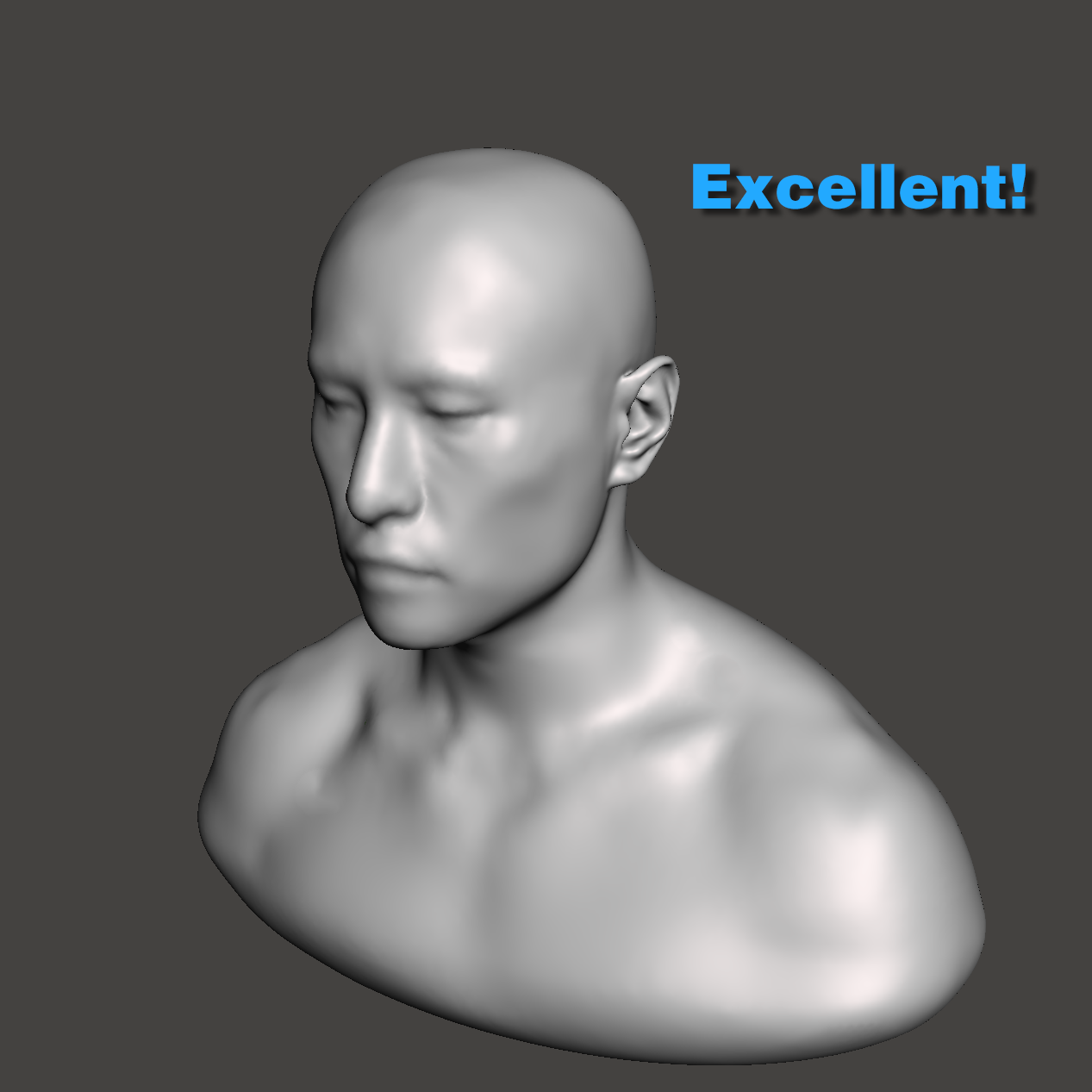
You need to create a full-scale 1:1 3D untextured model of your upper torso and head. An untextured model means a 3D model without colors or texture maps.
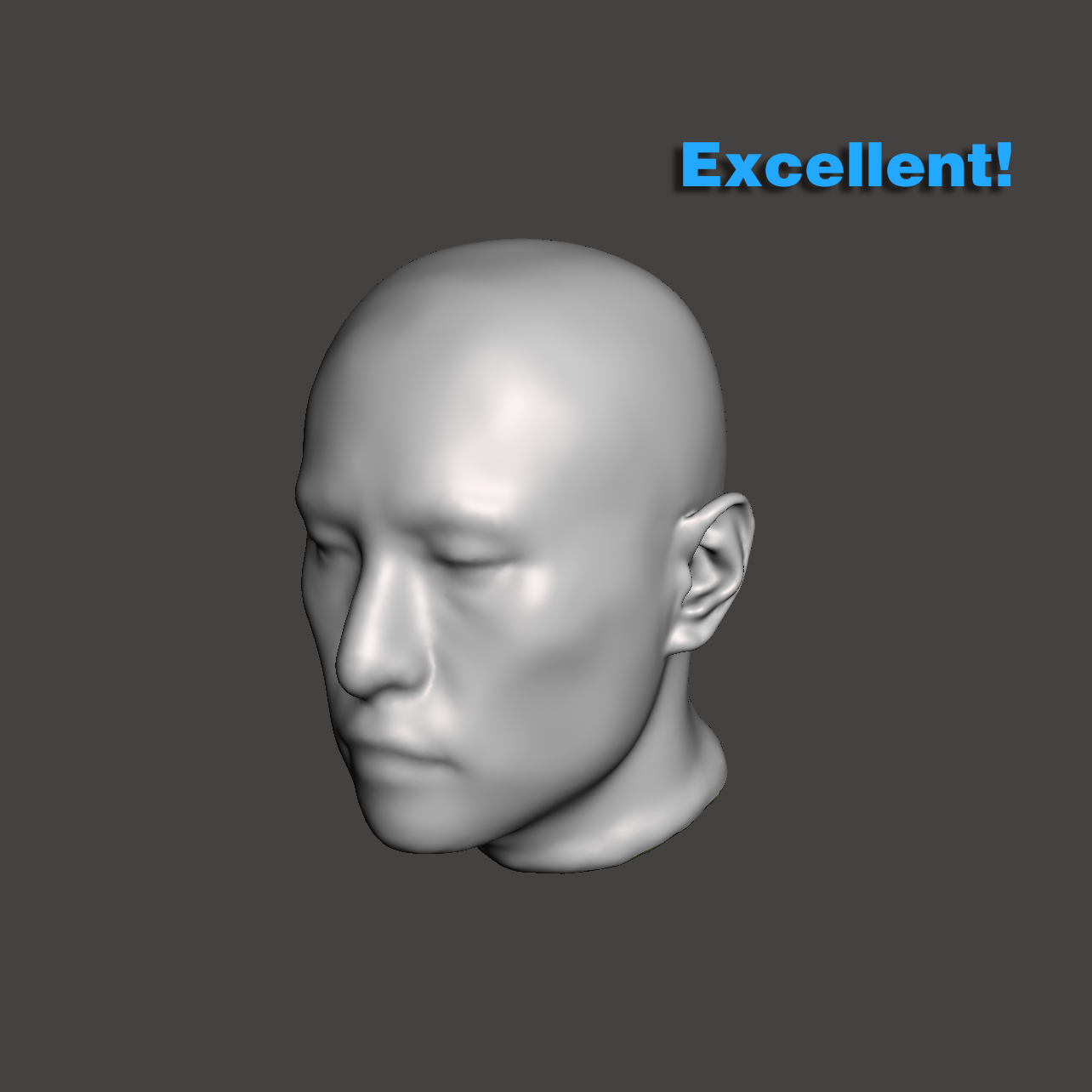
A head-only model is also acceptable. However, including the upper torso will provide more accurate results, although the difference is not large enough to make a head-only scan unusable.
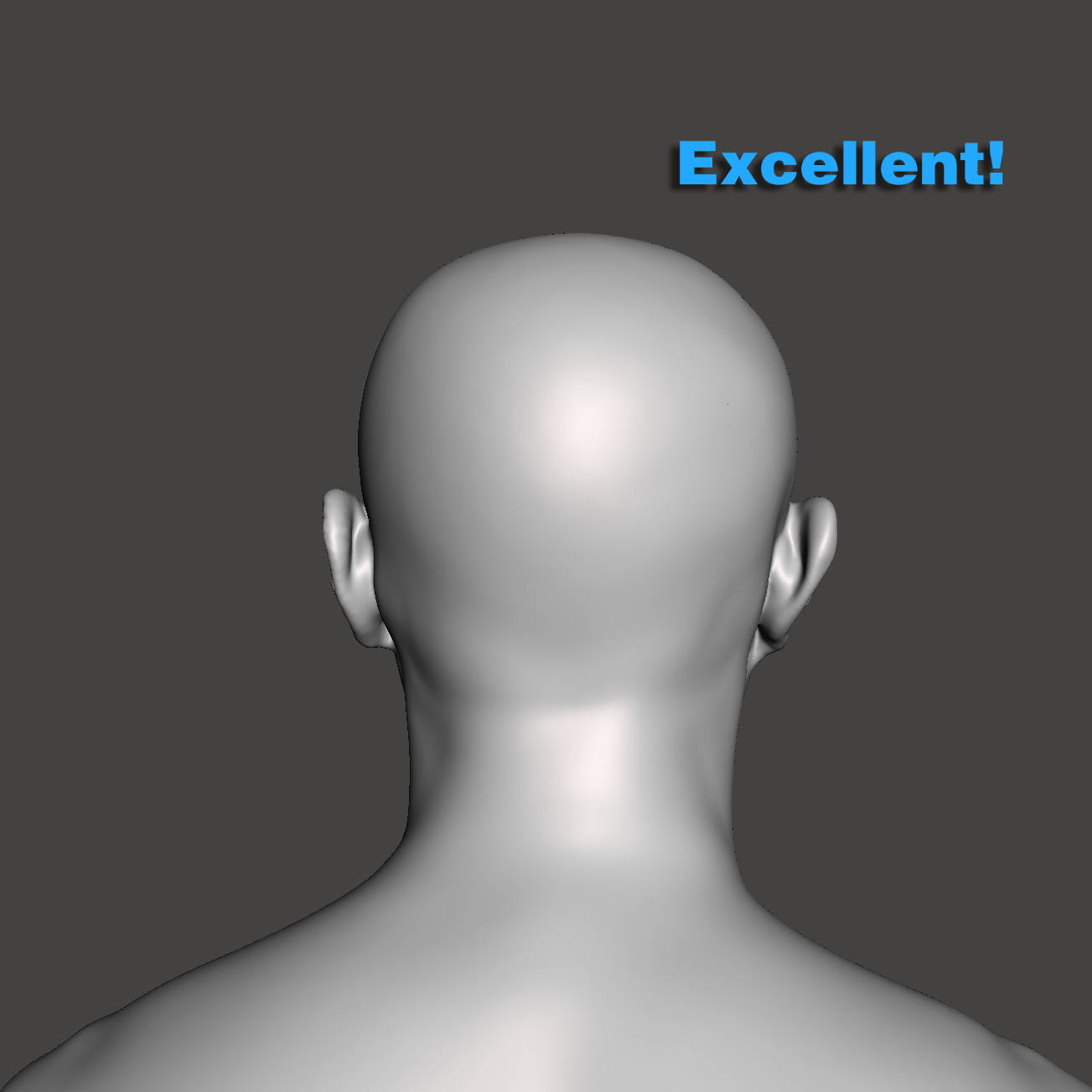
Sit upright and keep your head in a neutral position. Do not tilt or rotate your head.
Try to avoid having clothing cover the shape of your body as much as possible. Male users should remove their shirts. Female users should prepare suitable undergarments in advance. Hair should be fully covered with a wig cap so that the original shape of the head can be captured as accurately as possible.
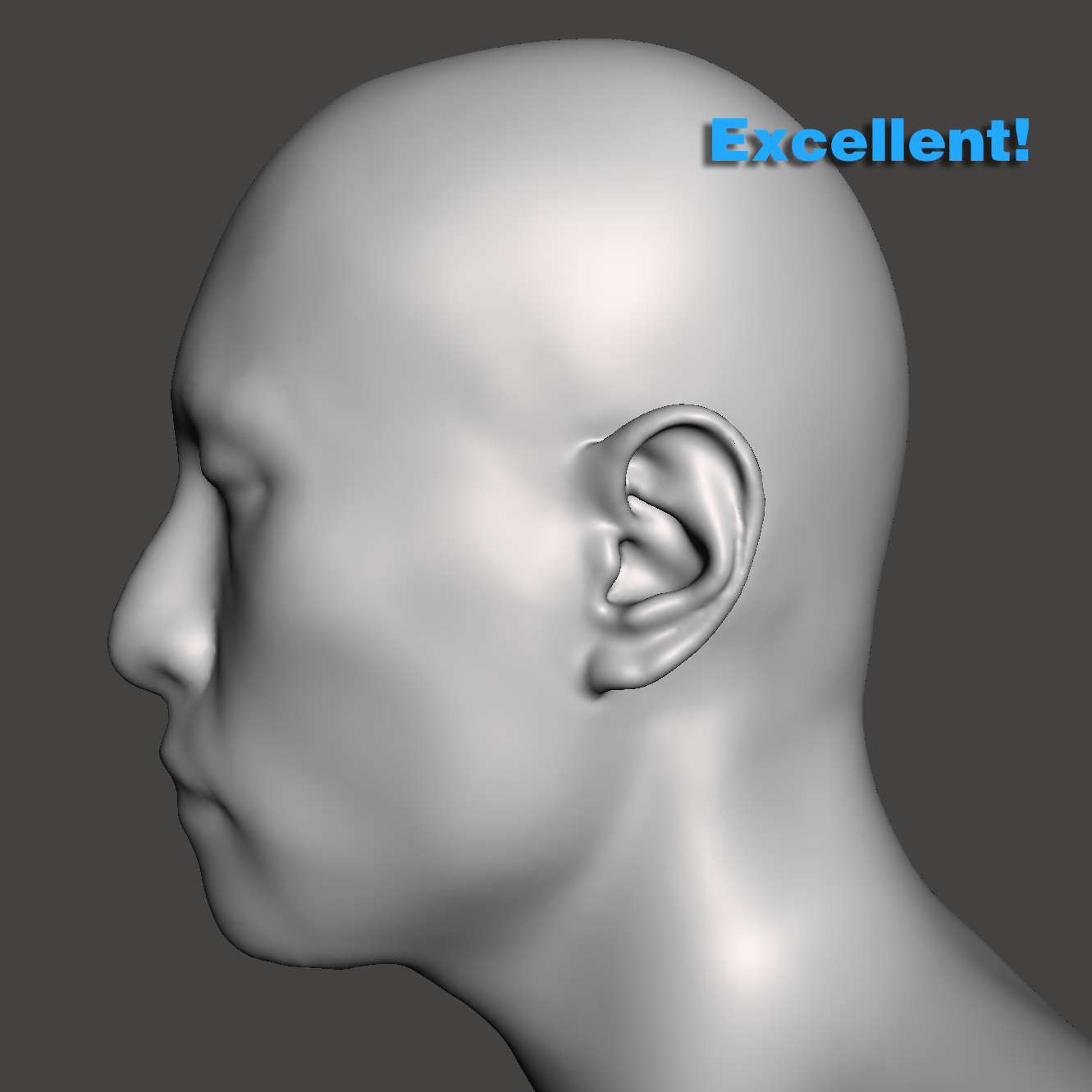
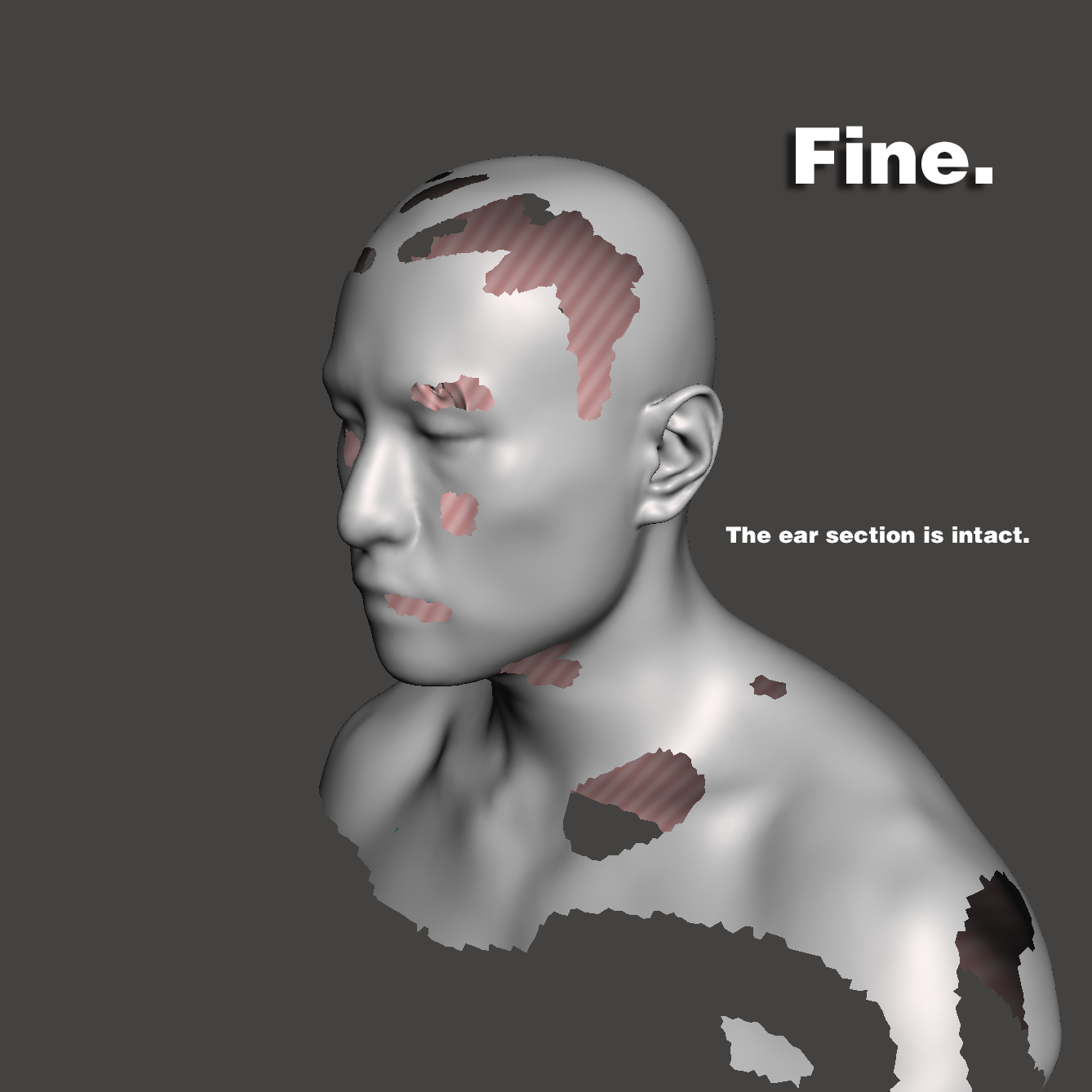
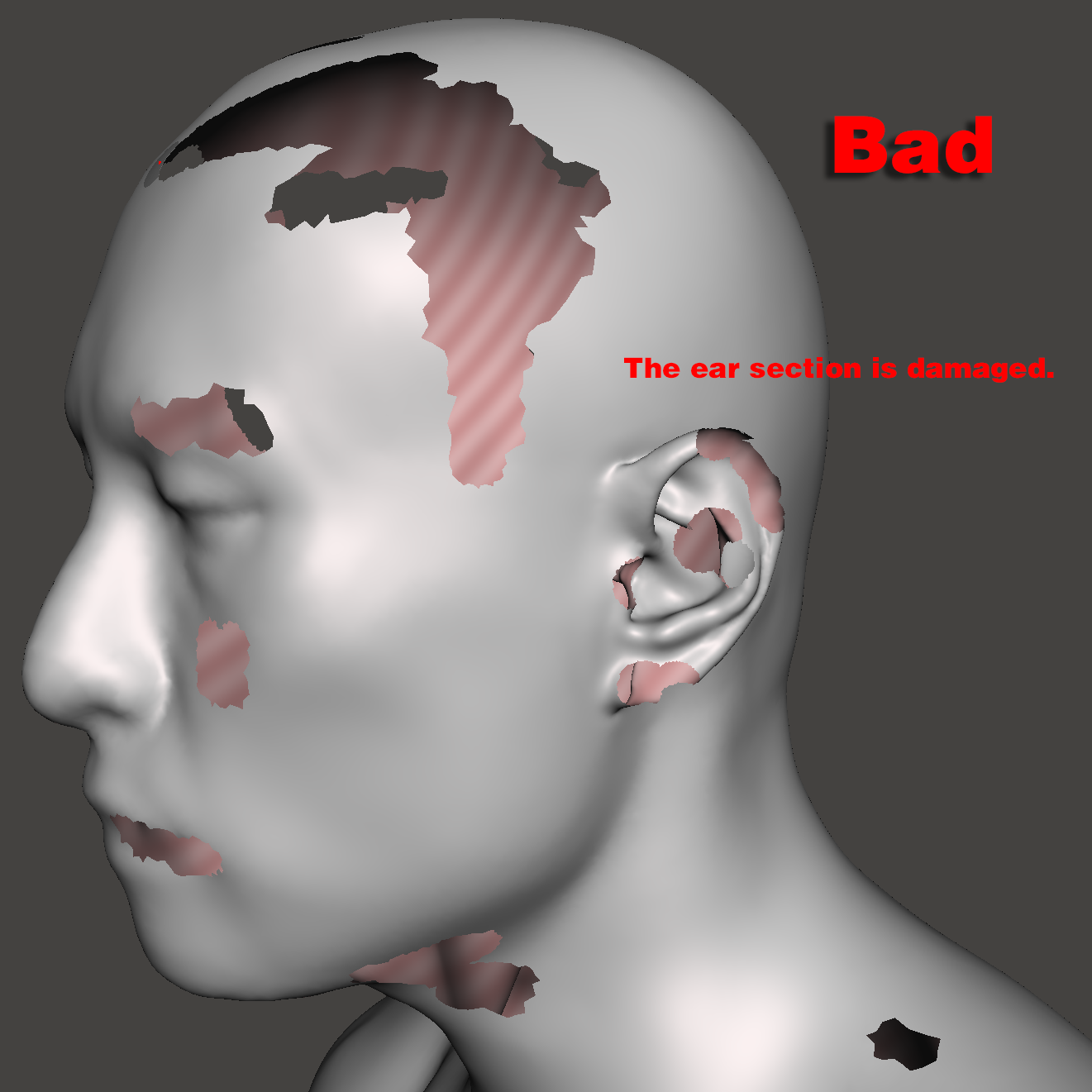
Important: The ears are the most critical part of the scan. The details of both ears must be captured clearly and accurately, with no missing or damaged geometry.
Small defects in other areas of the model are generally acceptable and will not significantly affect the final result.
Please make sure your scan meets the requirements shown in the following reference examples.
Ear Impression Creation and 3D Scanning
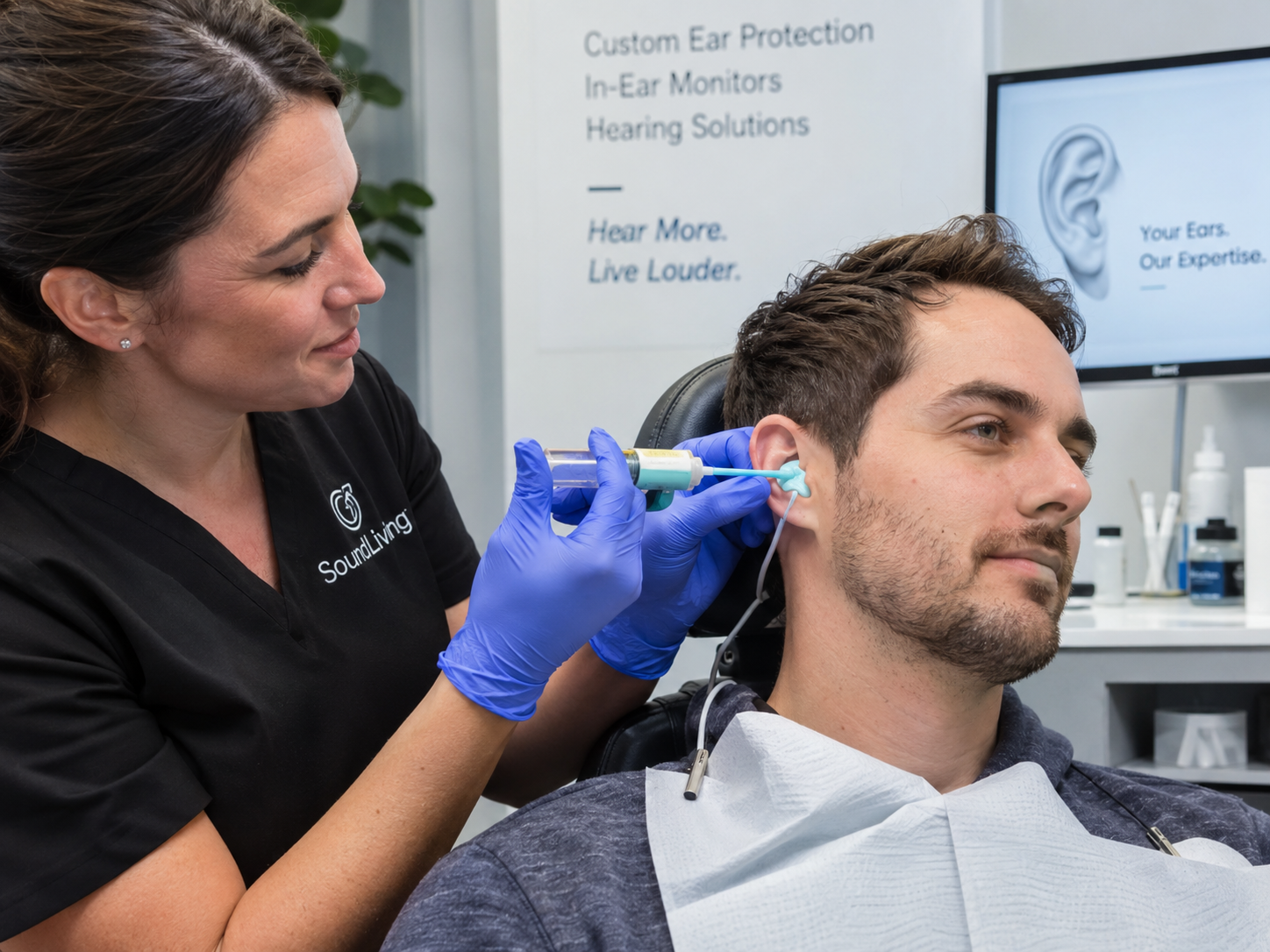
You can visit a local custom IEM store or hearing-aid provider to have ear impressions made.
Have your left and right ear impressions taken by a qualified professional. Do not attempt to make ear impressions yourself.
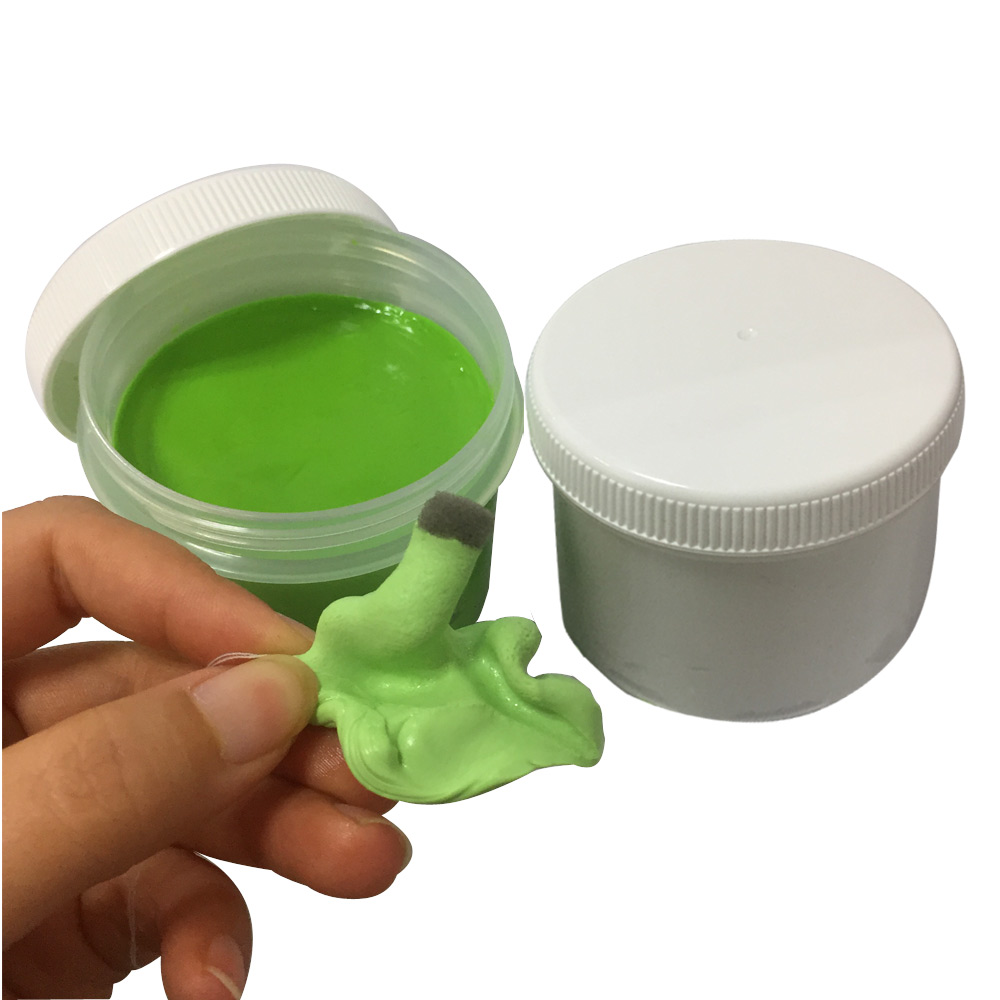
After the impressions are completed, take them to a 3D scanning service provider, or use a purchased or rented 3D scanner, to create full-scale 1:1 untextured 3D models of both ear impressions.
Loading 3D model…
Drag to explore the model from any angle. Scroll or pinch to zoom.
Export and Send Your Models
Place your order and complete payment for the PHRTF customization service.
Online ordering for this service is not yet available. Please contact us before preparing or sending your personal scan data.
Export the 3D model containing your head and upper body, together with the 3D models of your left and right ear impressions, at a true 1:1 physical scale.
Export them in a common 3D mesh format such as .obj or .stl.
Rename the files using the ID registered with your account on DeepTweakAudio.com, and clearly label the left and right ear models.
Compress all files into a .zip or .7z archive and send it as an email attachment to:
Please include your order number from the successful payment in the email.
Wait for your PHRTF to be completed.
Processing time depends on the current number of orders in the queue. Since every 3D model requires manual inspection and additional processing, producing a PHRTF for one person may take approximately 1–3 days, depending on the reliability of the submitted models and the amount of model debugging required.
Thank you for your patience.
Once your PHRTF is complete, we will send you a notification email.
You will then be able to log in to your account and download your personalized .sofa file.
Personalized SOFA downloads will be enabled when the service ordering and delivery workflow launches.
Enjoy!